
Walmart MoneyCard®
Green DotFinance
3.81.87K Reviews
- Version
- 2.7.0
- Installs
- 500.00K
- Age Rating
- Mature 17+
Screenshots
Our Review of Walmart MoneyCard®
 Analysis by Appyee
Managing everyday money from a phone sounds simple until you need to check a balance quickly, keep spending organized, or decide whether a financial app deserves access to your personal information. I spent time looking at Walmart MoneyCard® with that practical question in mind. It is a free finance app from Green Dot, built around the Walmart MoneyCard service rather than being a general-purpose banking app. That distinction matters: it may suit someone who already uses the card, while a person looking for a full bank relationship may find the experience narrower.
The app’s public store summary presents it as a way to bank better with a newer mobile experience, but that phrase does not tell you how comfortable it feels during ordinary money tasks. My view is more measured. The app is most useful when it gives an existing cardholder a clear, convenient place to manage an account, yet financial apps deserve a higher standard than entertainment apps. I pay attention not only to convenience, but also to account controls, visible choices, data-sensitive moments, and whether the interface helps me avoid mistakes.
What the app is really for
Walmart MoneyCard® belongs in the prepaid-card and everyday money-management part of finance, not in the same mental box as a traditional checking account with a broad range of services. Its developer is Green Dot, a company associated with the MoneyCard product, so the app’s purpose is fairly focused: it acts as a mobile companion for people using this particular card service. That focus can be a strength because a dedicated tool does not need to bury basic account actions under unrelated banking products.
The app has a 3.8 average from around 3.7 thousand ratings, with more than 500 thousand installs. Those figures suggest a real user base and enough public feedback to make the app worth examining, but they do not guarantee that every account holder will have the same experience. Financial apps can feel dependable on one phone and frustrating on another because login recovery, verification, notifications, or account-specific restrictions often matter as much as the main screen.
It is available free of charge, carries a Mature 17+ content rating, and was released on March 12, 2025. The current version is 2.7.0 and it requires Android 9 or later. The recent release context is useful when setting expectations: I would treat this as a developing mobile experience rather than assuming that every older workflow has been polished through years of iteration. If your phone runs an older Android version, compatibility should be checked before planning to rely on it.
Trust starts with the account relationship
For me, the first trust question is whether the app matches what I already use. If I hold a Walmart MoneyCard, a dedicated app is easier to justify than installing a random budgeting tool and manually entering balances. The closer the app is to the account itself, the more valuable timely information and account controls become. On the other hand, someone who wants to compare several banks, manage investments, or see all household accounts in one place should not expect this app to replace a broader financial hub.
I also would not judge it solely by the Walmart name. A familiar retail brand can make an app feel reassuring, but the financial service and its mobile interface still need separate scrutiny. Before committing to it for important payments, I would read the sign-in and account-recovery screens carefully, confirm that the app recognizes my card relationship, and make sure I understand which actions happen inside the app and which may require another channel.
That is a useful habit with any money app: do not treat a smooth first launch as proof that every later problem will be easy to resolve. A trustworthy experience should make it clear when I am viewing information, changing an account setting, or initiating a money-related action. If the interface uses similar-looking buttons for different consequences, I slow down rather than tapping through automatically.
Controls matter more than a polished balance screen
The most important part of a finance app is not a colorful dashboard. It is what happens when I need to protect the account, investigate activity, or correct a mistake. With Walmart MoneyCard, I would look for clearly labeled account controls and review them before I need them. This includes understanding how to sign out, how to recover access, where security-related choices appear, and how to recognize an unfamiliar transaction or notification.
One practical workflow is to open the app at a calm moment, inspect every available account-management area, and note where support or help is located. That may sound overly cautious, but it prevents the common mistake of searching for a control only after a card problem has become urgent. I also prefer to enable only the notifications I understand and need. A notification that helps me notice unusual activity can be useful; a stream of alerts that I ignore defeats its purpose.
The best control is the one I can find before an emergency. For this app, I would test the visibility of security and support paths without making unnecessary changes. That gives me a sense of whether the product respects user agency. If an option is hidden behind several layers, uses vague wording, or makes me uncertain about whether a change is immediate, I would stop and verify the consequence first.
Where personal data deserves extra attention
Any app connected to money creates data-sensitive moments. Signing in, verifying identity, receiving account notifications, viewing transaction details, and contacting support can all involve information that I would not want exposed casually. I avoid using a financial app on an unsecured public network when I can use a trusted connection instead, and I keep the phone itself protected with a screen lock. These are not special tricks for Walmart MoneyCard; they are sensible boundaries for a card-management tool.
I would also review the app’s permission prompts one by one rather than approving everything reflexively. A permission should make sense in the context in which it appears. If I do not understand why a requested access is necessary, I would pause and look for an explanation in the app or the relevant privacy controls. The important point is not to assume that a permission is harmless simply because the app is from a recognizable developer.
Data practices deserve the same attention. I would read the privacy information presented through the store and inside the account experience, especially around information collection, sharing, retention, and choices available to the user. I would not infer privacy protections from the app’s appearance, and I would not assume that declining an optional choice has the same effect as disabling a required service function. Clear labels and visible choices are more meaningful than reassuring language alone.
A small but useful habit is to separate financial use from casual phone use. I avoid taking screenshots of balances or transaction details unless there is a specific reason, because images can remain in a photo library or backup service long after I have forgotten them. I also check whether notifications reveal sensitive details on the lock screen. If they do, I prefer a less revealing display setting where the operating system allows it.
Everyday use: a realistic example
Imagine I use the MoneyCard for groceries and regular household purchases. Before leaving home, I open the app to review the available balance and recent activity. At the checkout, I do not rely on memory or an old notification; I check the current information displayed in the account. Later, I compare the purchase with the transaction entry and keep an eye out for anything I do not recognize. This simple routine is more valuable than opening the app only when a payment fails.
The same workflow can help someone separating spending money from other funds. I might use the card for a weekly allowance, review activity at the end of the week, and decide whether the account still fits that purpose. The app is useful here as a focused checkpoint, not as a substitute for a complete household budget. I would still keep a separate record of recurring bills, savings goals, and money held elsewhere if those areas are important to me.
There is a trade-off in this approach. A dedicated card app can reduce clutter, but it may also encourage me to see only one slice of my finances. If I use several accounts, I need a broader system to avoid mistaking the MoneyCard balance for my total available money. That is one reason I would not recommend making any single app the only place where I understand my financial position.
Who will find it useful, and who should look elsewhere
I think Walmart MoneyCard is most suitable for an existing cardholder who wants a direct mobile view of the account and prefers a focused experience over a large banking platform. It can also make sense for someone who wants to check activity regularly from a phone and is willing to learn the account controls instead of treating the app as a passive balance display.
I would be more cautious if you are opening your first financial account and need extensive guidance about budgeting, credit building, savings, or account comparisons. The app’s category and product focus do not make it a complete personal-finance education tool. Likewise, if you need joint financial management, sophisticated spending analysis, investment access, or a unified view across multiple institutions, a full-service bank app or dedicated budgeting platform may be a better fit.
People who dislike identity checks, security steps, or account-specific support processes may also find financial apps tiring. Those safeguards can be necessary, but they add friction precisely when I am in a hurry. I would rather know that in advance than assume the app will behave like a shopping app. If fast access is your only priority, the extra care required around a money account may feel inconvenient.
How it compares with familiar alternatives
Compared with a traditional bank app, Walmart MoneyCard is more specialized. A bank app may bring checking, savings, transfers, statements, and other products together, while this app is centered on the MoneyCard relationship. That specialization can make routine card management easier to understand, but it also means I would not choose it simply because I want the broadest possible financial toolkit.
Compared with a generic budgeting app, the difference is even clearer. Budgeting tools are often designed to combine information from different accounts and show spending patterns. Walmart MoneyCard is better considered a direct account companion. I would use the two types of apps for different jobs: the MoneyCard app for checking the card relationship and a budgeting tool for a wider household view, provided I was comfortable with the additional data connections and had reviewed their controls.
Compared with managing the card only through a browser or customer-service channel, a mobile app can be more convenient for quick checks and timely account attention. The cost of that convenience is that the phone becomes part of the security chain. A lost, shared, poorly protected, or outdated device changes the risk picture. I would keep the operating system current, protect the phone, and avoid saving sensitive login details where someone else could easily access them.
Small habits that make the experience safer
I would begin by confirming the developer name before installing or signing in, particularly if several similarly named apps appear in search results. Green Dot is the developer associated with this app, and checking that detail is a simple way to avoid a misleading imitation. I would also update the app through the device’s normal store process rather than relying on unofficial download sources.
Next, I would create a short personal checklist: review the balance, scan recent activity, locate support, inspect notifications, and understand access recovery. I would do this before the first urgent use. The checklist turns the app from something I open reactively into a controlled part of my routine. It also exposes friction early, when I still have time to find another way to manage the account.
Finally, I would separate convenience from permission. If the app offers a choice that is optional, I would decide based on what I actually need rather than approving it just to move forward quickly. If a function appears to require information I am uncomfortable providing, I would read the explanation and consider whether the service is worth that trade-off. That is especially important for a financial product, where convenience can otherwise encourage automatic consent.
My cautious verdict
After looking at Walmart MoneyCard as a real account-management tool rather than a generic finance download, I see a sensible use case for current cardholders who want a focused mobile companion. The free price removes one obvious barrier, and the dedicated purpose may be easier than navigating a much larger banking app. Its public presence, with around 3.7 thousand ratings and over 500 thousand installs, also means prospective users can investigate how the experience develops rather than choosing an entirely unknown product.
Still, I would not recommend it blindly. The app is only as useful as the account relationship behind it, and I would pay close attention to sign-in recovery, visible security controls, notification behavior, permission requests, and privacy choices. I would also avoid using it as my complete financial picture if I have money spread across other services. The version available now is 2.7.0, so I would keep an eye on updates and reassess the experience after changes rather than assuming the first setup tells the whole story.
My recommendation is therefore conditional but positive: choose Walmart MoneyCard if you already use the card and want a direct, phone-based way to stay aware of its activity. Skip it as your main financial platform if you need broad banking, deep budgeting, or multi-account planning. In either case, take a few minutes to learn the controls and review the data choices. For a finance app, trust is not just convenience; it is knowing what the app can do, what it asks for, and how quickly you can take control when something looks wrong.
Verdict
Strengths of Walmart MoneyCard®
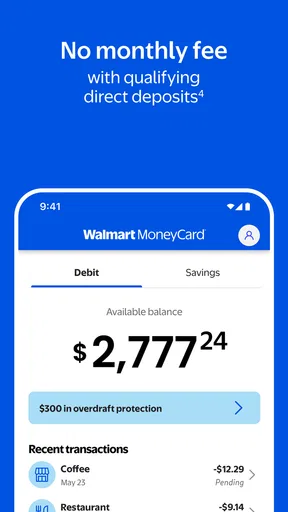
- No monthly fee when you receive qualifying direct deposits.
- Mobile check deposit lets you add eligible checks from your phone.
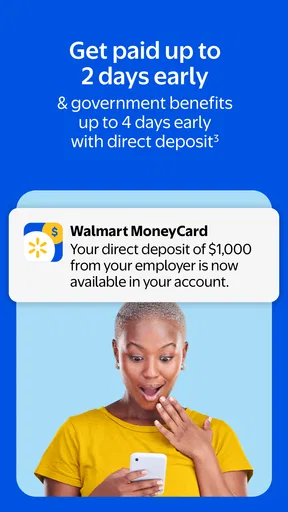
- Early direct deposit may provide access to some funds sooner.
- Card controls and transaction alerts help monitor spending.
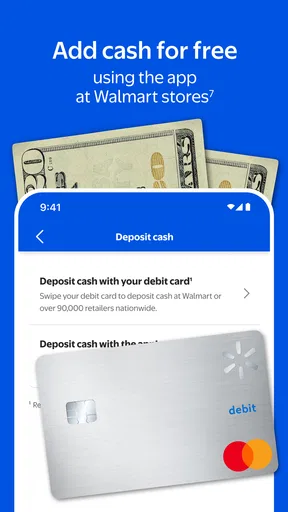
- Cash can be loaded at participating retailers across the U.S.
Limitations of Walmart MoneyCard®
- Monthly fees may apply if you do not meet the waiver requirements.
- Not all retailers offer free cash reloads.
- ATM withdrawals can incur fees outside the preferred network.
- Some features and availability vary by state or account status.
- It is a prepaid card, so it does not build traditional credit history.
Other Releases by Green Dot
View All


Similar Picks in This Category
View All
Google Wallet
Google LLC4.3

Airtel: Recharge, Bank & Loans
Airtel4.0

PayPal - Pay, Send, Save
PayPal Mobile4.2

DANA Indonesia Digital Wallet
PT Espay Debit Indonesia Koe4.5

Binance: Buy Bitcoin & Crypto
Binance Inc.4.8

Cash App
Block, Inc.4.7
Frequently Asked Questions
What is Walmart MoneyCard® and how does it work?
Walmart MoneyCard® is a reloadable prepaid debit card and mobile app designed for everyday spending, bill payments, direct deposit, money transfers, and account management. It is not a traditional bank account, so you generally spend only the funds available on the card. After signing up and completing any required identity verification, you can use the app to check your balance, review transactions, deposit money, and manage card settings.
Are there fees for using Walmart MoneyCard®?
Walmart MoneyCard® may include fees depending on how you use the account. Potential charges can apply to monthly maintenance, cash reloads, ATM withdrawals, expedited services, or other transactions, while some fees may be waived when specific requirements are met, such as receiving qualifying direct deposits. Before downloading or funding the card, carefully review the current fee schedule in the app or official terms because fees and conditions can change.
Can I deposit my paycheck or government benefits onto Walmart MoneyCard®?
Yes, Walmart MoneyCard® can generally receive eligible direct deposits, including paychecks, government benefits, and certain other recurring payments. Direct deposit may give you earlier access to funds than a paper check, although timing depends on the payer and processing rules. The app provides instructions for finding your account and routing information, but you should confirm eligibility and availability before changing your payroll or benefits arrangements.
Can I use Walmart MoneyCard® for online purchases, bills, and ATM withdrawals?
In most cases, the Walmart MoneyCard® card can be used anywhere the applicable card network is accepted, including many online stores, physical retailers, and bill-payment services. You can also use participating ATMs, although withdrawal limits and fees may apply. The app is useful for monitoring transactions and available funds, but it is important to keep enough money in the account and check merchant or ATM restrictions before making a payment.
Is Walmart MoneyCard® safe, and what should I do if my card is lost?
The Walmart MoneyCard® app includes account-management and security tools that can help you monitor activity, control card access, and identify unfamiliar transactions. If your card is lost, stolen, or used without permission, contact customer support as soon as possible and use any available lock or replacement options in the app. Never share your password, PIN, verification codes, or full card details, and remember that prepaid-card protections may depend on promptly reporting the problem and completing identity verification.
